Easy registration, all the details you need
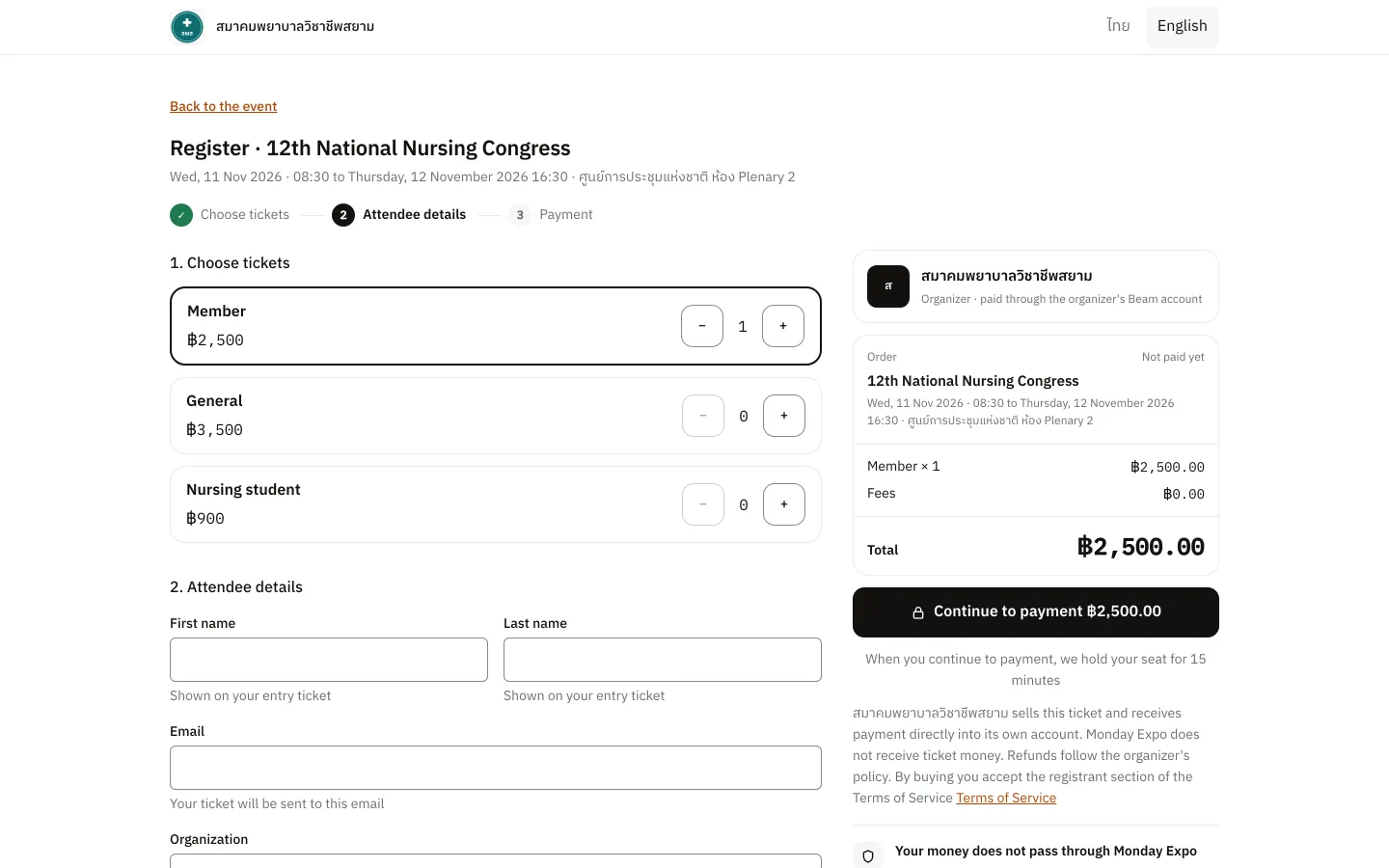
Attendees fill in the form on their phone in under a minute and get a QR ticket by email. You choose what to ask and who gets in.
What you get
-
Forms that fit your event
Add your own questions, make them required, accept file uploads and show questions based on earlier answers. The form appears in Thai or English as each attendee prefers.
-
Screen before you approve
For events with limited places, accept applications and approve or decline each one. Attendees hear back by email.
-
Excel import
Register a whole organization at once from an Excel file, then email every person their ticket.
-
Sign up through LINE
Attendees register, get their ticket and receive reminders in LINE without leaving the chat.
-
Name and ticket changes
Attendees can fix their details or pass the ticket to a colleague until the cut-off you set.
-
A privacy notice for every event
Each event has its own privacy notice page linked from the form. You stay the data controller.
Registration form
Under a minute on a phone, ticket right away
A short form with your own questions, file uploads and questions that appear based on answers. Registrants get a QR ticket by email as soon as they submit.
Registrations
See registrations grow every day
The event overview shows registrations, sales and remaining tickets, so you know when to promote more or open a new release.
From a phone form to a QR ticket
Attendees do every step on their phone. You see the full list in one dashboard.
-
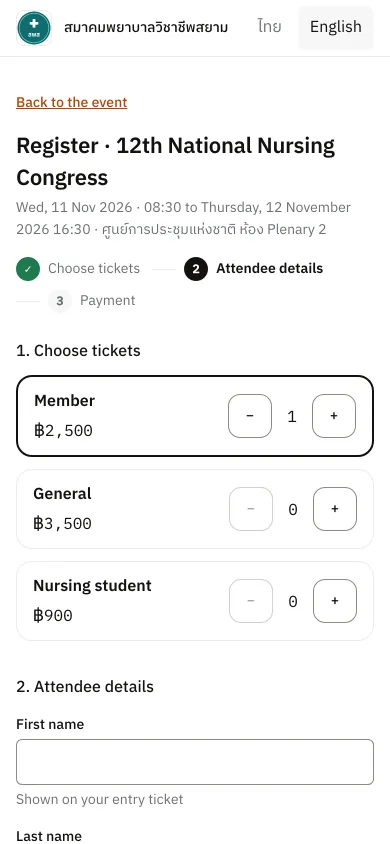
Registration form -
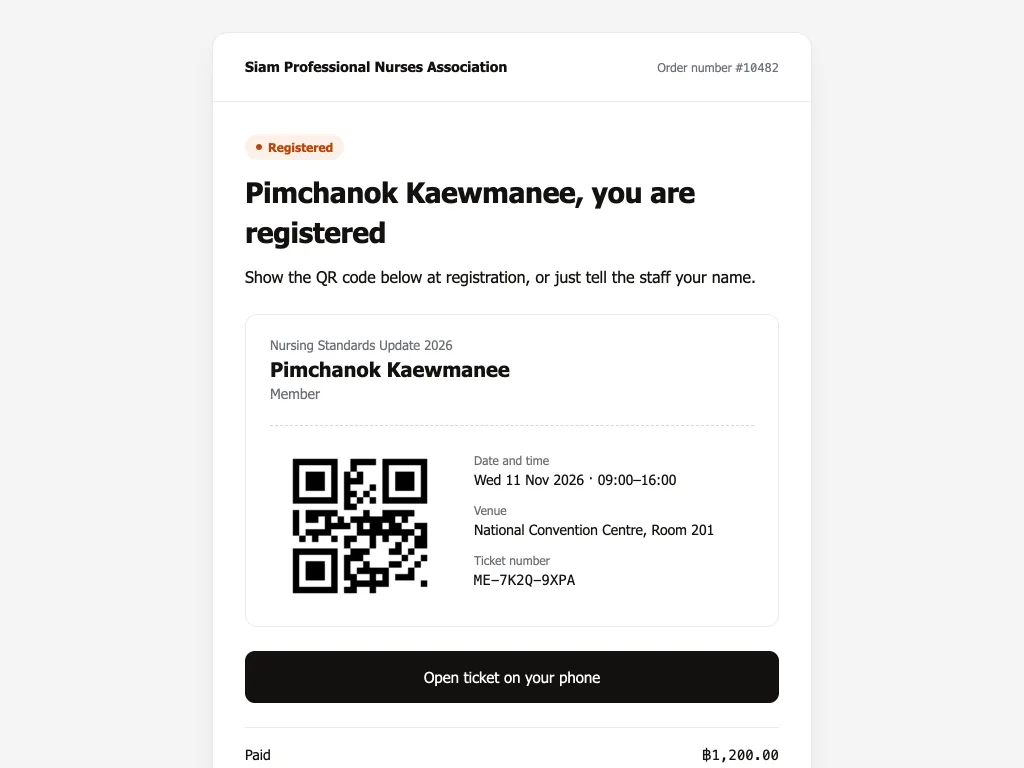
QR ticket by email -
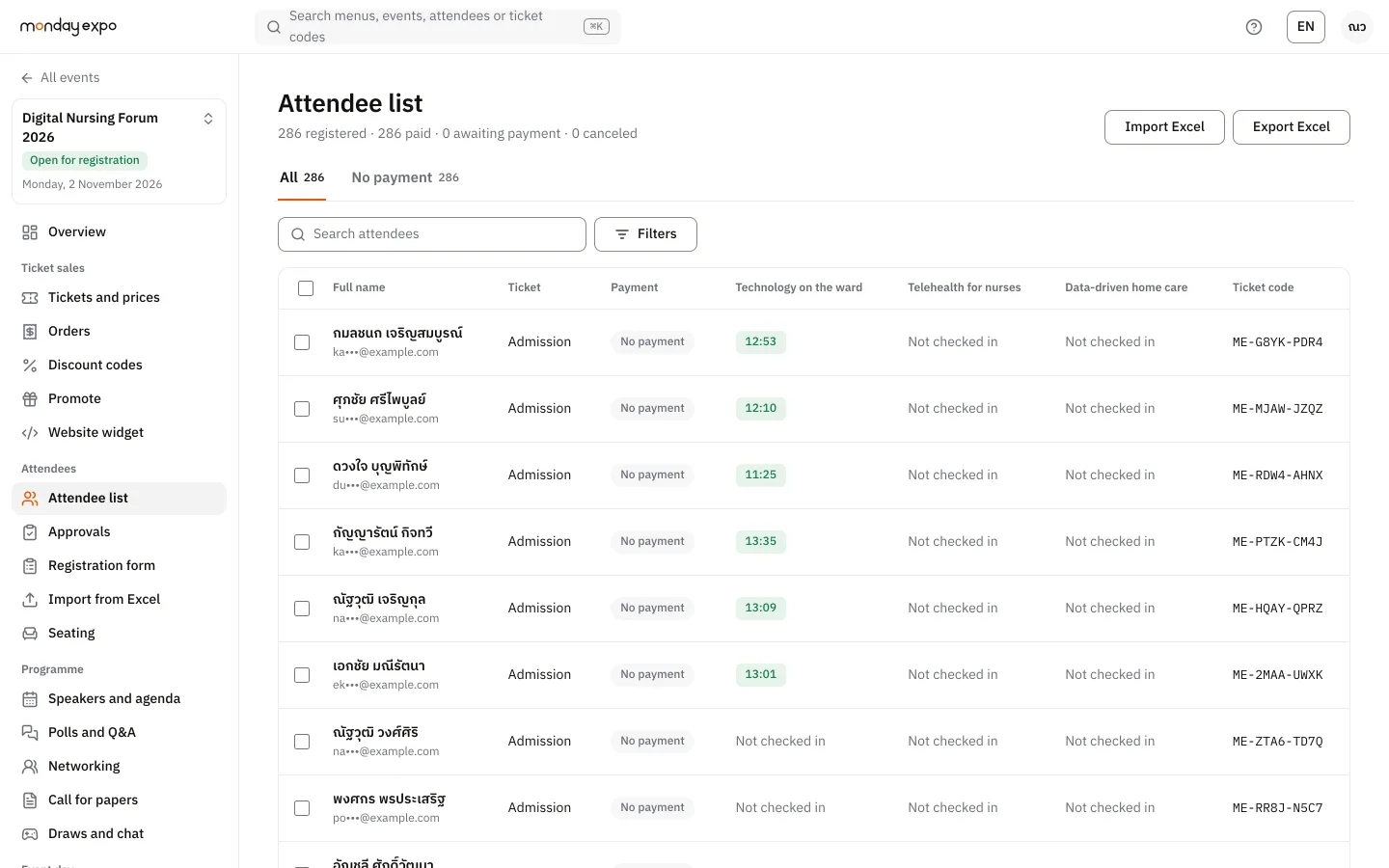
Attendee list
Data security
Attendee data in a carefully run system
Infrastructure from DigitalOcean · Cloudflare · Beam Checkout · Zoho ZeptoMail
See all security measures- SingaporeServer location
- AES-256Encryption of sensitive data
- Not storedFull card numbers and CVV
- Hash chainAudit log that shows whether anything was changed
Monday Expo is not yet certified against the standards it uses as guidance
Everything in this area
-
Event pages and registration forms
Ready in minutes, in Thai and English, built for phones first
-
Custom registration form
Add questions, file uploads and show questions based on answers
-
Import attendees from Excel
Register a whole organization at once and email everyone their ticket
-
Thai, English and a third language Pro and up
Attendees pick their language from event page to ticket
-
Embed on your website Pro and up
Paste a short code and take registrations on your own site
-
Attendee self-service
Fix names, transfer a ticket and open tickets from an email link
-
Promote to interested people
Send your event to people who signed up for Monday Expo event news
-
Register through LINE Pro Plus and up
Sign up, get tickets and reminders in LINE
Frequently asked questions
How is this different from using Google Forms?
Google Forms only collects answers. Monday Expo sends each registrant a QR ticket right away, lets you screen people before you approve them and sell tickets, and uses the same ticket for check-in on the day. You don't have to copy names out of Google Sheets and finish the job yourself.
Can I sell tickets and take payments?
Yes. Payment methods, discount codes, receipts and refunds are covered on the Tickets and payments page.
Is the form PDPA compliant?
It helps you state your purposes and ask for consent clearly. You still decide what to collect, keep it to what you need and use it as you said.
A registrant never got the ticket email. What now?
They can request a fresh ticket link from My tickets, or your team can resend it from the attendee list.