Get the room involved, not just listening
Attendees open their ticket page on their phone to answer polls, send questions and meet other attendees. No app needed.
See it in action
Multi-day conferences, every step in 1:04
From the registration page to the final report. No sound, watch anywhere
Multi-day conferences, every step in 1:04
What you get
-
Live polls
Prepare questions in advance, open them one by one on stage and show results instantly.
-
Moderated Q&A
The moderator picks questions before they reach the screen. Attendees upvote what they want answered.
-
Networking
Only attendees who switch their profile on can see each other, and they can switch it off any time.
-
Agenda and speakers
Show the programme and speaker bios on the event page.
-
Post-event surveys
Send a survey after the event and make it a condition for the certificate if you like.
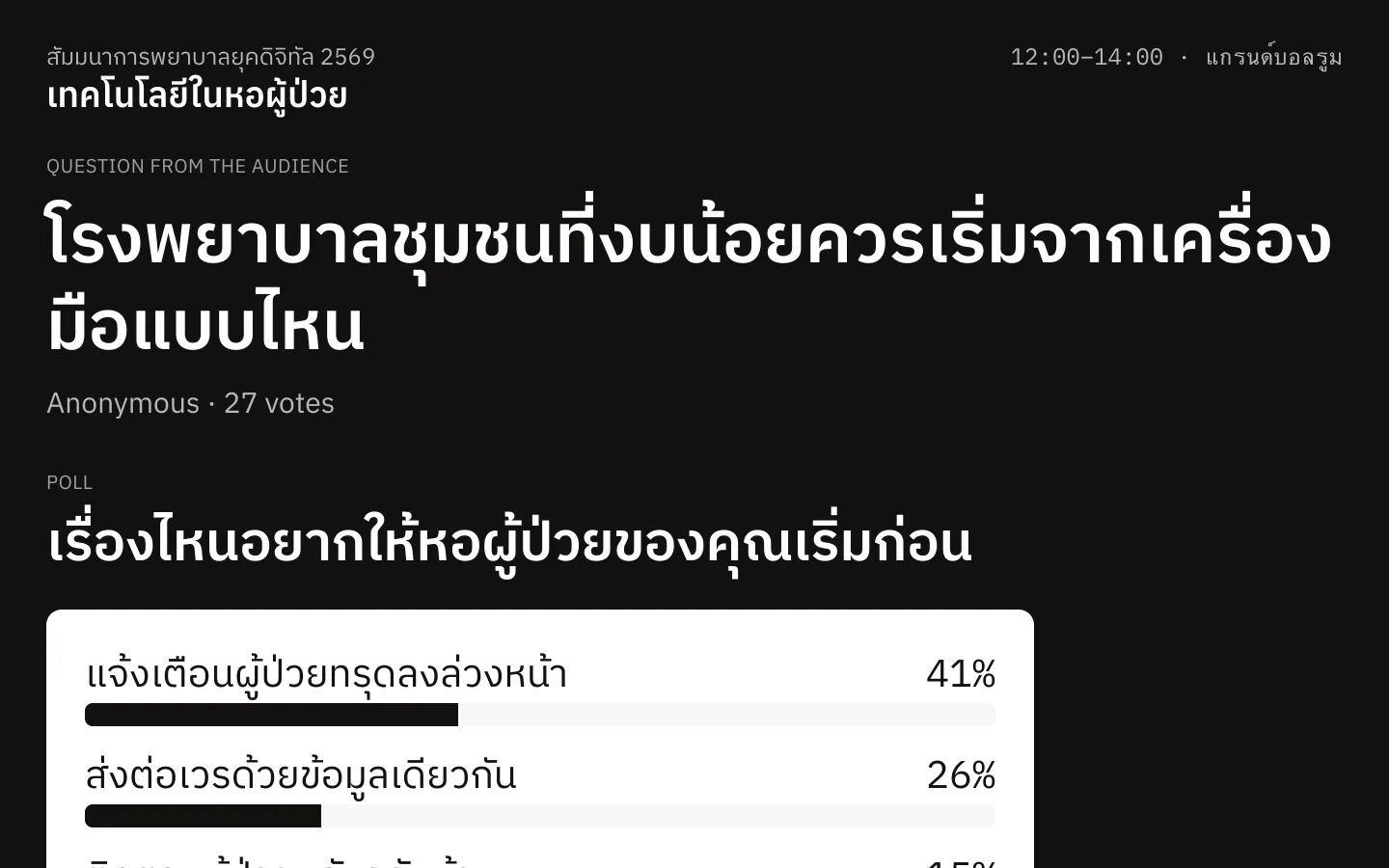
Live polls
Results on screen as people vote
Attendees vote from their phones and the stage screen updates live. Use it for opinions or a quick quiz between sessions.
Q&A
The questions people care about come first
The audience asks and votes from their phones. The moderator sees the top questions and screens them before they go on screen.
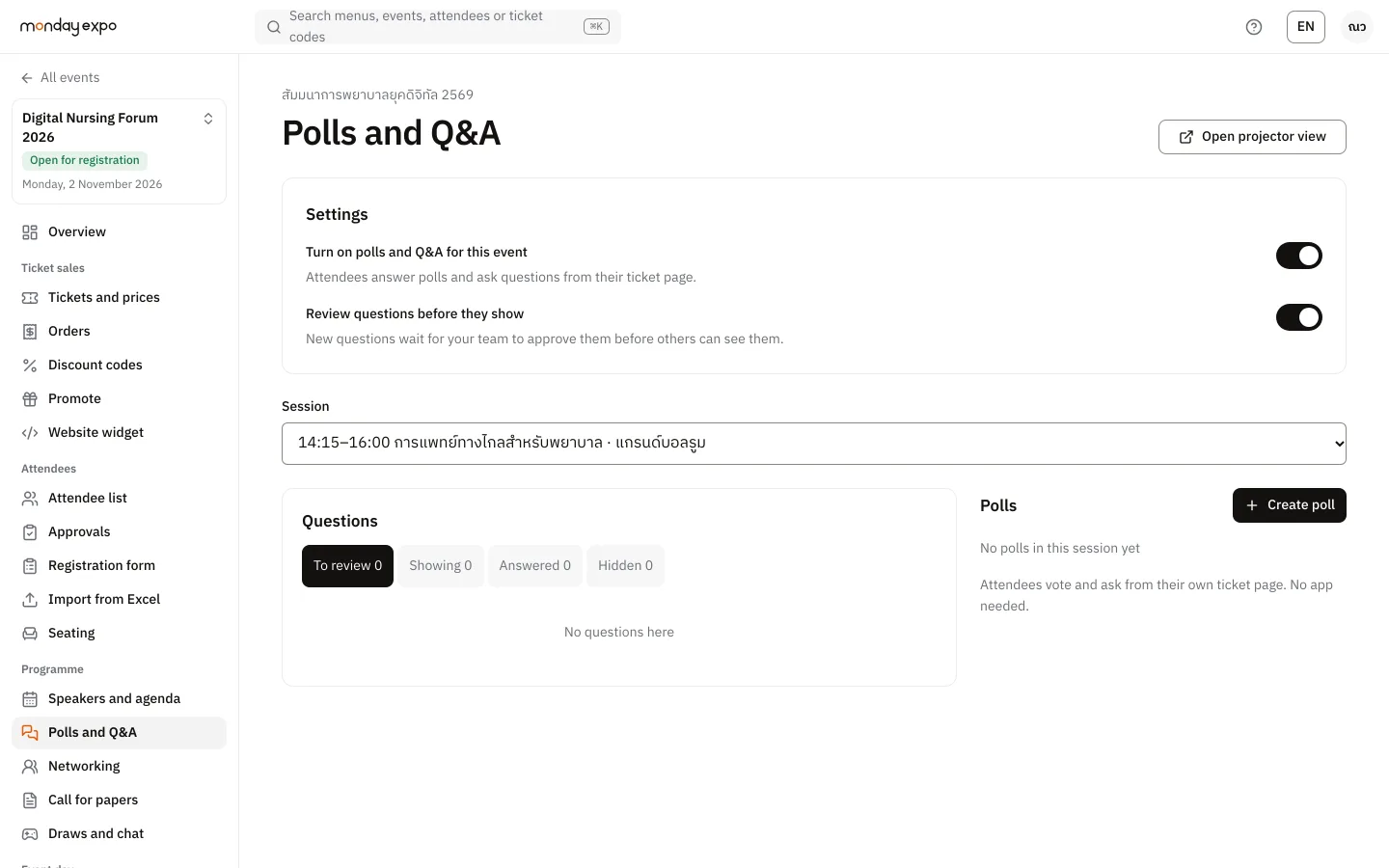
Q&A
Choose questions before they go on screen
Attendees send questions and upvote the ones they want answered. The moderator decides what appears on screen.
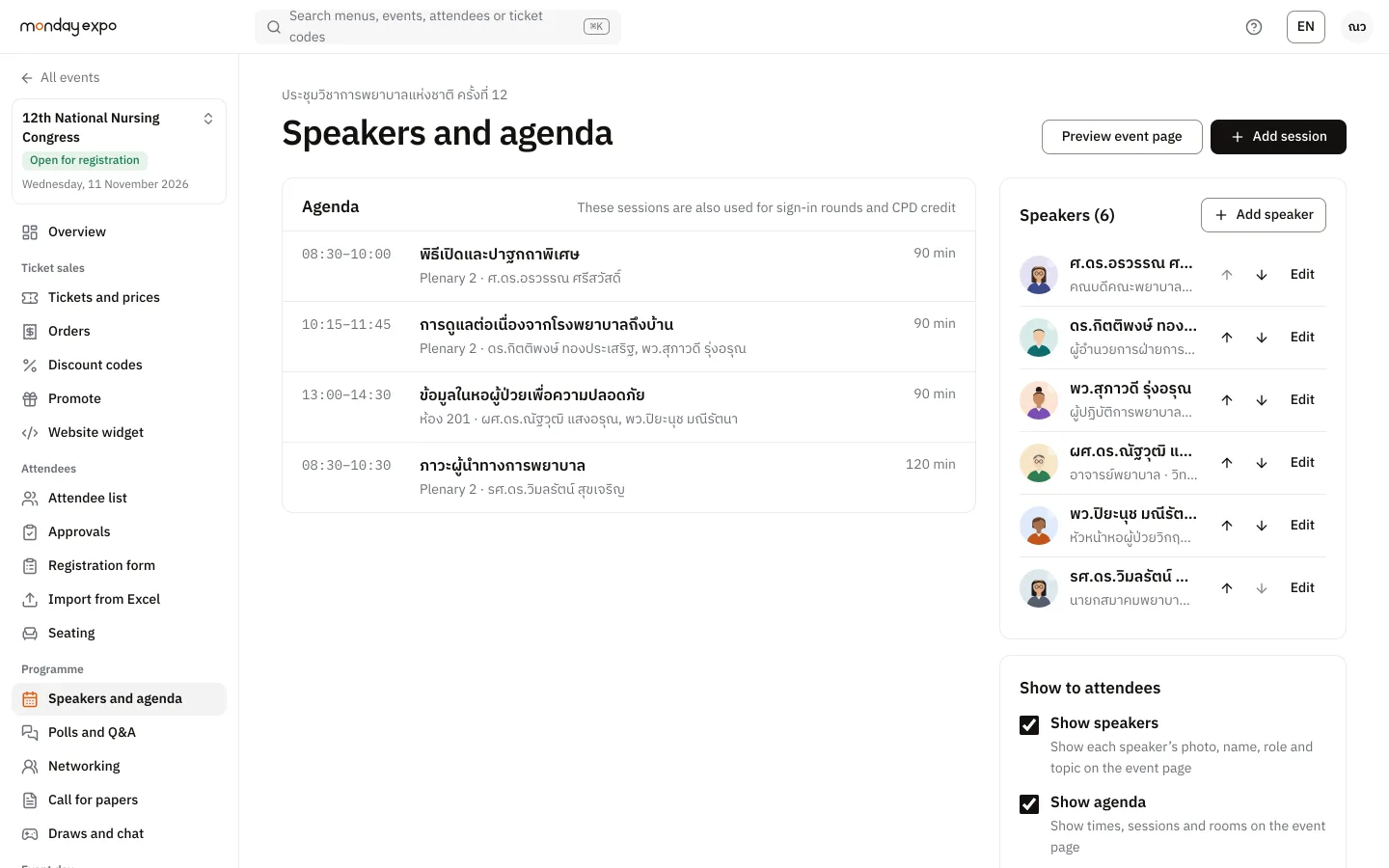
Agenda
Many rooms and days in one schedule
Arrange sessions by room and day with speaker details. Attendees save sessions to their own agenda and add them to their calendar.
Programme
Edit the programme from the back office
Add sessions, speakers and rooms, and the event page and attendee tickets update right away.
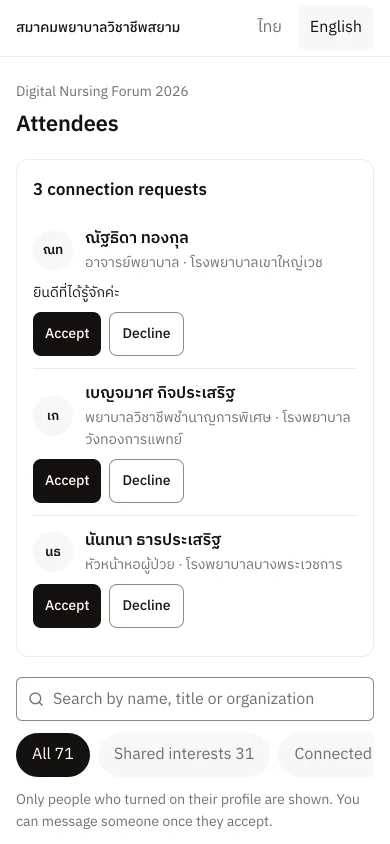
Networking
Meet people with the same interests
Attendees opt in to a profile, see who shares their interests and send a connection request from their ticket page.
Everything in this area
-
Q&A and polls Pro Plus and up
Take questions and run polls during sessions
-
Agenda and speakers
Multi-room, multi-day sessions and a personal agenda for attendees
-
Networking Pro Plus and up
Attendees browse profiles and book 1:1 meetings
-
Lucky draw and points Pro Plus and up
Prize draws on the big screen, points and event chat
-
Call for papers Pro Plus and up
Collect abstracts, send them to reviewers and announce results
-
Surveys Pro Plus and up
Ask attendees for feedback before they get their certificate
Frequently asked questions
Which plans include this?
The agenda and speakers are on every plan. Personal agendas, networking, polls, Q&A and surveys are in Pro Plus, Business and Expo.
Can events with minors use networking?
Networking is hidden for events with minors so their details are never shown.